Friday, 7 July 2023

Metas Threads Faces Potential Legal Challenge from Twitter

Social media giant Twitter is considering taking legal action against Meta in response to the emergence of Threads, a fast-growing rival app. Executives at Meta have positioned Threads as a “friendly” alternative to Twitter, and it launched for millions of users on Wednesday. Twitter’s CEO, Elon Musk, stated, “Competition is fine; cheating is not.” However, Meta has denied allegations made in a legal letter that former Twitter employees were involved in creating Threads.

Meta says more than 30 million individuals have already signed up for the new app. However, according to Statista, this figure represents less than a tenth of Twitter’s estimated 350 million users. Notably, Threads capitalised on Meta’s existing two billion monthly users through its affiliation with Instagram.

BBC News technology reporter James Clayton observed that Threads shares a similar appearance and features with Twitter. The news feed and reposting functionalities are described as “incredibly familiar.” However, copyright laws in the United States do not protect ideas. For Twitter to succeed in a legal dispute, it must prove that its intellectual property, such as programming code, was infringed upon.

Facebook’s system for displaying the most recent posts, known as the “communication of a newsfeed,” received a patent from Meta in 2012. Meanwhile, news outlet Semafor reported that Twitter attorney Alex Spiro sent a letter to Meta CEO Mark Zuckerberg accusing Meta of “systematic, willful, and unlawful misappropriation of Twitter’s trade secrets and other intellectual property” in the development of Threads. The letter alleges that Meta hired numerous former Twitter employees who had access to Twitter’s trade secrets and confidential information, ultimately contributing to the creation of the “copycat” Threads app.

The letter states that “Twitter intends to enforce its intellectual property rights strictly” and demands that Meta cease using Twitter trade secrets or highly confidential information. It further emphasises Twitter’s rights to seek civil remedies and injunctive relief without further notice. BBC News has contacted both Meta and Twitter for their comments.

Elon Musk responded to a tweet referencing the legal letter, stating, “Competition is fine, cheating is not.” In response to allegations of former Twitter employees being involved, Meta spokesperson Andy Stone asserted that “no one on the Threads engineering team is a former Twitter employee.”

Sarah Kunst, managing director at venture capital firm Cleo Capital, highlighted the potential for Threads to provide a “brand-safe environment” for current Instagram advertisers who may be willing to allocate some budget to explore the app’s possibilities. She also expressed her belief that while the initial rush of 30 million users may occur, there will likely be a steady increase in user numbers due to the app’s ease of cross-posting to other platforms, such as Instagram.

Elon Musk and Mark Zuckerberg have acknowledged the rivalry surrounding Threads, an app linked to Instagram but functioning as a standalone platform. During the app’s launch in 100 countries, Zuckerberg broke his 11-year silence on Twitter to share a popular meme featuring two identical Spider-Man figures pointing at each other, symbolising a standoff. Subsequently, as the term “Threads” trended worldwide on Twitter, Musk remarked, “It is infinitely preferable to be attacked by strangers on Twitter than indulge in the false happiness of hide-the-pain Instagram.”

Twitter CEO Linda Yaccarino tweeted on Thursday that while the platform is “often imitated,” it can never be replicated. Both Meta and Twitter have undergone significant layoffs this year, with Meta announcing a reduction of approximately 10,000 staff members in April. On the other hand, Twitter experienced waves of redundancies, resulting in a considerable loss of its 7,500 employees, potentially up to 80%, following Musk’s takeover in October of the previous year.


from WikiWax https://ift.tt/wHfukpe
via IFTTT

Wednesday, 5 July 2023

The Most Inspiring DISCORD Success Stories: How They Made It Big!

Introduction

Discord has revolutionized the gaming and online community landscape, providing a platform for like-minded individuals to communicate, collaborate, and share their passions. The platform’s versatility and user-friendly nature have made it the go-to choice for gamers and non-gamers alike. In this article, we’ll explore some of the most inspiring Discord success stories, from streamers who found fame to communities that became major brands, entrepreneurs who built thriving businesses, and charity fundraisers that made a significant impact. Let’s dive into these heartening stories and see how these individuals and groups made it big on Discord!

Streamers Who Started on Discord

Popular Streamers Who Began with Discord

Popular Streamers Who Began with Discord
  • Ninja (Tyler Blevins): Started as a small gaming group, rose to fame with engaging content and interaction
  • Pokimane (Imane Anys): Focused on niche games, and built a loyal fanbase through exclusivity and community events

Discord has been a launchpad for many famous streamers who have gone on to build massive followings and successful careers. By utilizing Discord’s features to communicate with fans, collaborate with other creators, and share exclusive content, these streamers have developed loyal fanbases that support their growth and success.

Also Read: Top 5 Discord Music Bots: Bring the Party to Your Server!

Strategies for Building a Loyal Fanbase

  1. Communication and interaction: Respond to messages, create a welcoming environment, and engage with fans on a personal level
  2. Hosting community events: Organize game nights, contests, and giveaways to bring members together and foster a sense of community
  3. Exclusive content for members: Offer sneak peeks, behind-the-scenes access, and other perks to keep fans engaged and excited

Discord Communities That Became Major Brands

Gaming Communities Turned Esports Teams

Gaming Communities Turned Esports Teams
  • Cloud9: Started as a small group of friends, and grew into a professional esports team through hard work and dedication
  • Team Liquid: Built a solid foundation on Discord, transitioned to esports, and achieved success through collaboration and networking

Many gaming communities have successfully transitioned from casual groups to professional esports teams, thanks to the support and resources provided by Discord. By leveraging the platform’s communication tools and fostering a sense of camaraderie, these teams have climbed the ranks and achieved remarkable success.

Also Read: The Ultimate Guide to Discord Nitro

Niche Communities That Expanded Beyond Gaming

Niche Communities That Expanded Beyond Gaming
  • Artists of Discord: Focused on a specific hobby or interest (art), utilized Discord to grow and expand into a thriving business
  • The Language Sloth: Created a supportive space for language learners, branched out into various forms of content creation and networking

Discord has also been instrumental in helping niche communities expand beyond gaming and achieve success in various fields. By providing a platform for collaboration, networking, and growth, Discord has enabled these communities to reach new heights and create lasting impacts.

Discord Entrepreneurs and Startups

Success Stories of Discord-Based Businesses

Success Stories of Discord-Based Businesses
  • Dank Memer: Launched a unique service (Discord bot) through Discord, effectively utilized the platform for marketing and promotion
  • MEE6: Built a successful business by leveraging Discord’s communication tools and integrations, providing exceptional customer support

Discord has become a breeding ground for innovative entrepreneurs and startups, with many individuals finding success by utilizing the platform to launch and grow their businesses. By harnessing Discord’s features and resources, these entrepreneurs have managed to create thriving enterprises that cater to the unique needs of their audience.

Also Read: Discord vs Slack: Which One Is Right for Your Team?

Key Strategies for Running a Business on Discord

  1. Effective communication with customers: Keep customers informed, handle inquiries promptly, and maintain a professional tone
  2. Marketing and promotion techniques: Leverage Discord’s promotional tools, collaborate with other businesses, and showcase positive customer reviews
  3. Utilizing Discord bots and integrations: Streamline business processes, improve user experience, and manage your community more efficiently through automation and custom features by implementing these strategies, Discord entrepreneurs can effectively grow their businesses while maintaining a strong connection with their customers and community members.

Discord’s Role in Charity and Fundraising

Inspiring Charity Streams and Fundraisers

Inspiring Charity Streams and Fundraisers
  • Games Done Quick: Successfully raised millions of dollars for organizations like Doctors Without Borders and the Prevent Cancer Foundation, brought multiple communities together for a common goal
  • Jacksepticeye’s Thankmas: Utilized Discord’s features to promote and organize a fundraiser, and achieved an incredible impact through generous donations

Discord has played a crucial role in facilitating charity events and fundraisers, with many inspiring success stories emerging from the platform. By providing a space for communities to come together and collaborate, Discord has enabled users to make a real difference in the world and support causes they’re passionate about.

Tips for Hosting a Successful Charity Event on Discord

  1. Planning and organization: Set clear goals, create a detailed schedule, and prepare in advance to ensure a smooth event
  2. Promoting the event to potential donors: Use social media, collaborate with influencers, and engage with the community to raise awareness and encourage participation
  3. Incentivizing donations and rewards: Offer exclusive content, merchandise, or other perks to motivate donors and show appreciation for their support

Conclusion

These inspiring Discord success stories serve as a testament to the power of community, collaboration, and passion. From streamers who found fame to gaming communities that transitioned into esports, entrepreneurs who built thriving businesses, and charity fundraisers that made a significant impact, the potential for success on Discord is truly limitless. By embracing the platform’s features, fostering connections, and pursuing their passions, anyone can make it big on Discord and create their own success story.


from WikiWax https://ift.tt/yO0Hfzn
via IFTTT

Tuesday, 4 July 2023

Discord Server Setup A Comprehensive Guide in 2023

Introduction

Discord has become a go-to platform for communities and teams to connect and communicate seamlessly. Whether starting a gaming guild, organizing a study group, or building an online community, setting up your first Discord server is the first step towards fostering collaboration and engagement. In this comprehensive guide, we’ll take you through the process of creating, customizing, and managing a Discord server from scratch. Let’s dive in!

Getting Started with Discord Server Setup

Understanding the Basics

Before we jump into the nitty-gritty, let’s get familiar with the fundamental concepts of Discord servers. A Discord server is a dedicated space where users can gather, chat, and share content. Unlike personal user accounts, servers provide a collaborative environment with various features and settings.

Creating Your First Discord Server

Creating Your First Discord Server setup

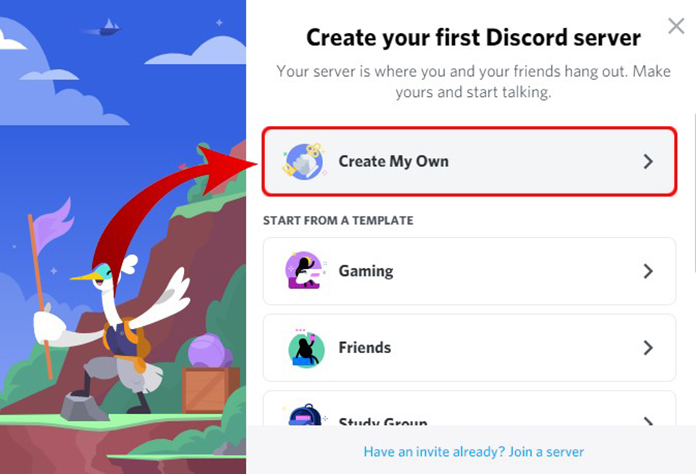
Setting up your very own Discord server is a breeze. Let’s walk through the process step-by-step, ensuring you have a solid foundation for your community.

  1. Log in to your Discord account.
  2. On the left side of the interface, click on the plus icon (+) next to “Servers.“
  3. Select “Create a Server” and choose an appropriate server name.
  4. Customize your server icon and banner for a personalized touch.
  5. Review and adjust the server settings to align with your vision and goals.

Also Read: How to Create and Customize Your Discord Account?

Customizing Your Discord Server

Customizing Your Discord Server

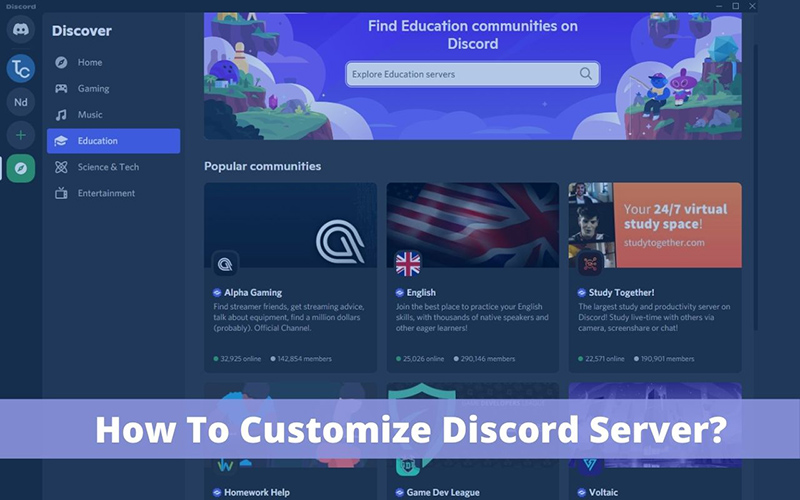
One of the great advantages of Discord is the ability to make your server stand out. Let’s explore how to customize your server to make it visually appealing and unique.

  • Choose an eye-catching server icon and banner that represent your community.
  • Personalize your server name, region, and other settings to reflect its purpose.
  • Add some flair with custom emojis and server-specific features.

Also Read: Jumpstart Your Server: How to Use Discord Server Templates

Configuring Discord Server Settings

Configuring Discord Server Settings

Discord provides a range of server settings that allow you to fine-tune your community’s experience. Let’s go over some important settings and their implications.

  • Server verification levels: Determine who can access your server and prevent unauthorized entry.
  • Content filters: Keep your server safe and appropriate by enabling filters for explicit content.
  • Moderation settings: Establish rules and guidelines for maintaining a healthy server environment.
  • Server boosting: Unlock additional perks and benefits for your server by encouraging member support.

Managing Discord Server Roles and Permissions

Managing Discord Server Roles and Permissions

Understanding Roles and Permissions

Roles and permissions play a vital role in managing a Discord server effectively. Let’s explore how they work and why they are essential.

  • Roles: Assigning roles allows you to group users with similar privileges and responsibilities.
  • Permissions: Permissions define what each role can do within the server, ensuring proper control and moderation.

Also Read: Discord Safety: Best Practices and Tips for a Secure Experience

Creating and Managing Roles

Creating and managing roles in your Discord server is crucial for maintaining order and establishing hierarchy. Follow these steps to set up roles:

  1. Open your server settings and navigate to the “Roles” section.
  2. Click on the plus icon (+) to create a new role.
  3. Give the role a name, color, and permissions based on its purpose.
  4. Assign the role to users who should have those permissions.

Setting up Role Permissions

To maintain a well-balanced server environment, it’s important to configure role permissions thoughtfully. Here are some best practices:

  • Start with the default permissions for each role and customize them as needed.
  • Be mindful of granting administrative powers to prevent abuse or accidental mismanagement.
  • Regularly review and update role permissions as your server evolves.

Organizing Discord Server Channels

Organizing Discord Server Channels

Introduction to Discord Server Channels

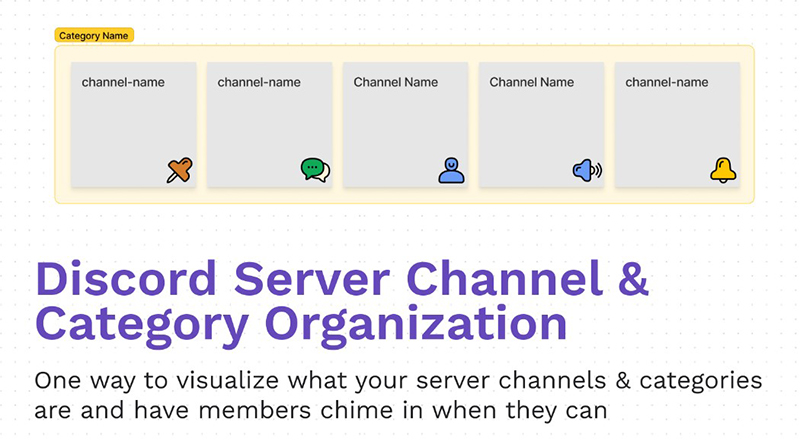
Discord channels are the backbone of communication within your server. Let’s understand the different types of channels available and how they contribute to a well-structured server.

  • Text channels: Used for text-based conversations, announcements, and sharing information.
  • Voice channels: Ideal for voice communication, group discussions, and hosting events.

Creating and Managing Channels

Creating and organizing channels helps maintain a clear and organized server layout. Follow these steps to set up channels effectively:

  1. In the server settings, navigate to the “Channels” section.
  2. Click on the plus icon (+) to create a new channel.
  3. Choose the appropriate channel type (text or voice) and assign it to a category if desired.
  4. Customize the channel’s name, topic, and permissions.

Configuring Channel Permissions

Properly setting channel permissions ensures that members have the appropriate access and privileges. Consider the following when configuring permissions:

  • Limit access to specific channels to maintain confidentiality or exclusive content.
  • Grant moderation powers to trusted members to help enforce the server rules effectively.

Moderating Your Discord Server

Moderating Your Discord Server

Establishing Server Moderation Guidelines

Creating clear guidelines for server moderation helps maintain a positive and safe environment. Consider the following when establishing moderation guidelines:

  • Clearly communicate the rules and consequences for rule violations.
  • Encourage a respectful and inclusive atmosphere within the server.

Setting Up Moderation Bots

Moderation bots can assist in automating various moderation tasks, ensuring the server’s integrity. Consider the following popular bots:

  • Dyno: Provides features like auto-moderation, role management, and logging.
  • MEE6: Offers moderation, leveling, and welcome message features.
  • Carl-bot: Allows custom commands, auto-moderation, and role management.

Managing Moderation Incidents

Handling moderation incidents promptly and effectively is essential for maintaining a healthy server environment. Consider the following tips:

  • Regularly monitor server activity and address any potential issues swiftly.
  • Engage with problematic members privately to avoid public confrontations.

Enhancing Your Discord Server with Bots and Integrations

Enhancing Your Discord Server with Bots and Integrations

Exploring Discord Bots

Discord bots can add tremendous value to your server by providing additional functionality and entertainment. Let’s explore different categories of bots:

  • Moderation bots: Help manage user behavior, enforce rules, and prevent spam.
  • Utility bots: Provide various valuable utilities, such as weather updates, timers, and reminders.
  • Fun and entertainment bots: Offer games, music streaming, and interactive features.

Adding Bots to Your Discord Server

Adding bots to your Discord server is a straightforward process. Follow these steps to add a bot:

  1. Visit a bot listing website like top.gg or Discord Bot List.
  2. Find a bot that suits your needs and has positive user reviews.
  3. Click on the bot’s invite link and select the desired server to add it.

Integrating Third-Party Services

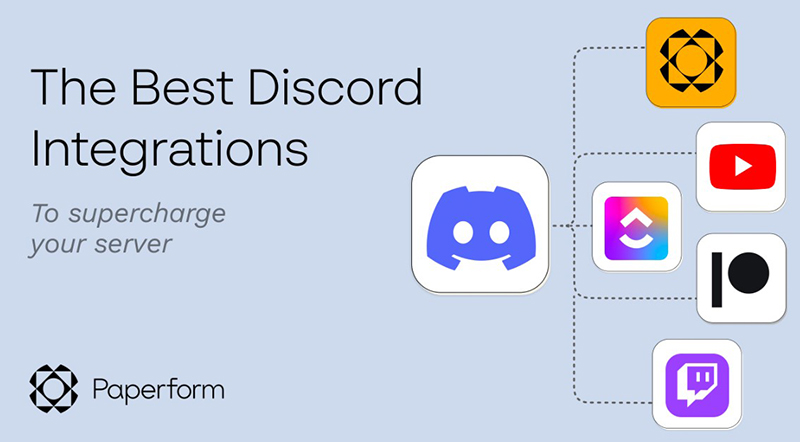
Integrating third-party services with your Discord server can enhance the user experience and streamline workflows. Consider these popular integrations:

  • Twitch integration: Announce live streams, share clips, and engage with your Twitch community.
  • YouTube integration: Notify server members about new videos and live streams.
  • Spotify integration: Share music and playlists directly within Discord.

Ensuring Discord Server Security

Ensuring Discord Server Security

Protecting Your Discord Server

Maintaining the security of your Discord server is paramount. Implement these measures to enhance server security:

  • Use strong and unique passwords for your account and server.
  • Enable two-factor authentication for an extra layer of protection.

Managing Server Invites

Controlling server invites helps prevent unauthorized access and maintain a close-knit community. Consider the following:

  • Use limited-duration invites for temporary access to specific events.
  • Regularly audit and remove unused or expired invites.

Implementing Server Verification

Enabling server verification enhances security and ensures that only trusted individuals join your server. Consider the following verification methods:

  • Email verification: Requires users to verify their email addresses before accessing the server.
  • Phone verification: Verifies users’ phone numbers for added security.

Growing and Engaging Your Discord Server Community

Growing and Engaging Your Discord Server Community

Promoting Your Discord Server

Promoting your Discord server is crucial to attracting new members and fostering a thriving community. Consider these strategies:

  • Create an appealing server description and branding highlighting your server’s unique features.
  • Engage with relevant online communities and platforms to raise awareness about your server.

Creating Server Guidelines and Community Standards

Clear guidelines and community standards ensure a healthy and inclusive environment. Consider including the following elements:

  • Rules for respectful behavior and content sharing.
  • Guidance on resolving conflicts and reporting issues.
  • Encouragement of positive engagement and collaboration.

Fostering Server Engagement

Encouraging active participation and interaction among server members is vital for community growth. Consider these techniques:

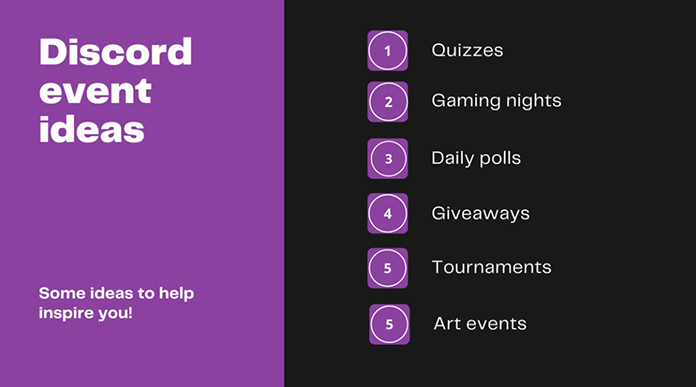
  • Host community events, contests, and giveaways to spark engagement.
  • Encourage members to share their expertise and contribute to discussions.

Analyzing Discord Server Analytics

Leveraging Discord’s analytics features helps you understand your community better and make data-driven decisions. Consider these metrics:

  • Server activity: Track message count, member join/leave rates, and peak activity times.
  • Member engagement: Monitor member activity, reactions, and participation in server events.

Effective Administration and Troubleshooting

Effective Administration and Troubleshooting e1688473235889

Managing Discord Server Administration

Effectively managing server administration ensures smooth operations and a positive user experience. Consider these best practices:

  • Regularly review and update roles and permissions.
  • Document important server configurations and settings for future reference.

Troubleshooting Common Issues

Addressing common technical issues promptly helps maintain a functional server environment. Consider these common issues and their solutions:

  • Voice chat problems: Check microphone and speaker settings, and switch voice regions if necessary.
  • Bot malfunctions: Verify bot permissions and reauthorize if needed.

Tips and Tricks for Discord Server Management

Unlock the full potential of your Discord server with these tips and tricks:

  • Utilize server folders to organize multiple servers efficiently.
  • Experiment with moderation bot settings to find the right balance for your community.

Conclusion

In this comprehensive guide, we have covered the entire process of setting up your first Discord server, from creating and customizing it to managing roles, channels, and permissions. We explored how to promote and engage your server community, as well as how to enhance security, integrate bots and services, and troubleshoot common issues. By following this guide and leveraging the power of Discord’s features, you are well-equipped to create and manage a thriving Discord server. So, gather your friends, teammates, or like-minded individuals and embark on your journey to build an incredible online community with Discord!


from WikiWax https://ift.tt/In6RrHY
via IFTTT

Jumpstart Your Server: How to Use Discord Server Templates

Introduction

Discord has revolutionized the way we communicate, collaborate, and engage in online communities. Discord server templates offer an efficient way to create and customize servers tailored to specific needs or interests. In this article, we will explore the benefits of using server templates, the various types of templates available, and how to implement them to make your server stand out.

Discord Server Templates: The Basics

Discord Server Templates: The Basics

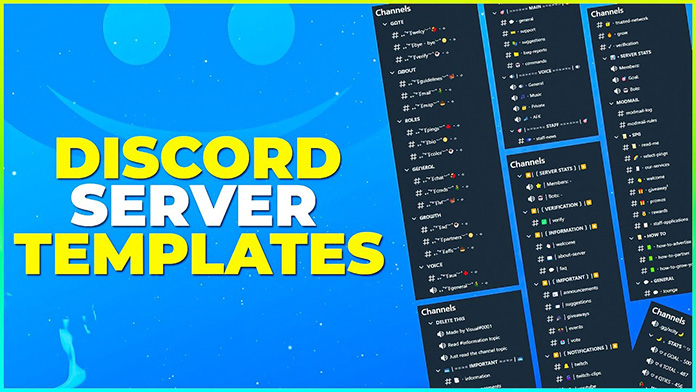
Discord server templates are pre-made layouts that include channels, roles, and other server settings. They save time and effort when setting up a new server or reorganizing an existing one. Types of server templates range from gaming and streaming to education and business.

To create a Discord server template, follow these steps:

  1. Open your server settings
  2. Click on the “Server Template” tab
  3. Choose “Create Template” and customize the template name and description
  4. Share the template link or use it to create a new server

Aesthetic Discord Server Templates

Aesthetic Discord Server Templates

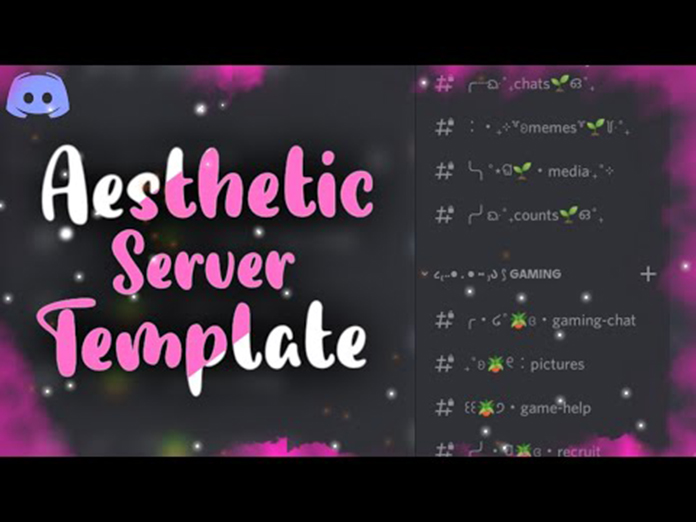
A well-designed Discord server can attract users and make them feel at home. Aesthetic Discord server templates offer unique layouts and themes, allowing you to create a visually appealing environment.

Popular aesthetic Discord server layouts include minimalist, retro, and dark themes. To create an aesthetic Discord server template, consider the following:

  • Choose a color scheme that complements the server’s theme
  • Use custom emojis and icons for a unique touch
  • Organize channels and categories logically to improve navigation

Also Read: How to Create and Customize Your Discord Account?

Cute Discord Server Templates

Cute Discord Server Templates

Cute Discord server templates focus on elements such as pastel colors, adorable emojis, and lighthearted designs. These templates can enhance user experience and create a welcoming atmosphere.

To design a cute Discord server template:

  • Use pastel colors for backgrounds and text
  • Incorporate cute emojis and icons
  • Add fun and engaging channels, such as “Pets Corner” or “Wholesome Memes“

Also Read: Discord Safety: Best Practices and Tips for a Secure Experience

Discord Call Templates

Discord Call Templates

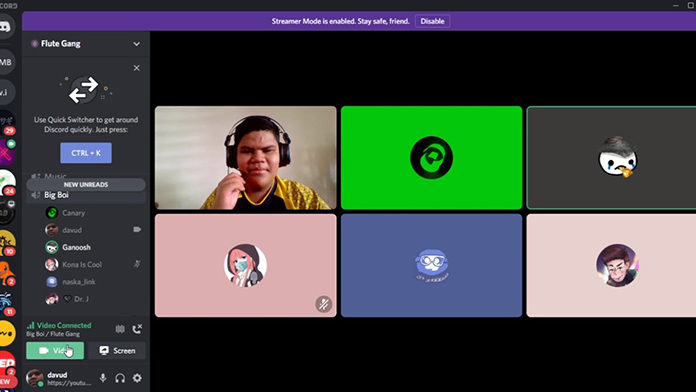
Discord call templates facilitate communication by pre-configuring voice channels and settings tailored to specific purposes, such as gaming or meetings. These templates can streamline setting up calls for different groups and events.

To create a Discord call template, consider the following:

  • Determine the purpose of the call (e.g., gaming, meetings, or casual conversation)
  • Set up appropriate voice channels with permissions
  • Configure any additional settings, such as push-to-talk or voice quality

Discord Channel Templates

channels

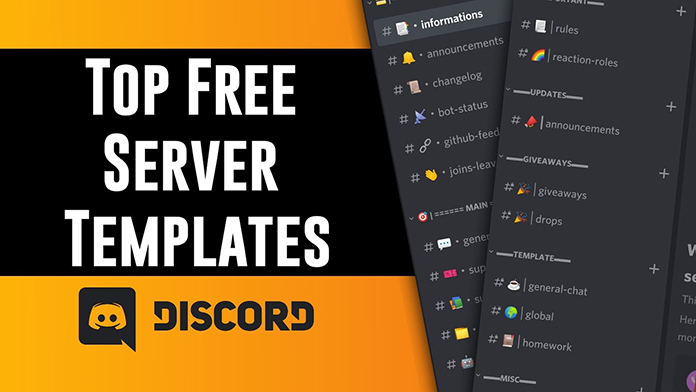
Discord channel templates help organize server content by providing pre-configured text and voice channels. These templates ensure a consistent and logical layout, making navigating and engaging in discussions easier for users.

Setting up channel templates for your server:

  • Choose relevant categories (e.g., Announcements, General Chat, Gaming)
  • Create text and voice channels within each category
  • Configure permissions and settings for each channel

Discord Intro Templates

Discord Intro Templates

Intro templates provide a warm welcome to new server members, setting the tone and providing essential information about the server. An engaging intro template can improve user experience and retention.

To design a Discord intro template:

  • Create a welcome channel with an eye-catching title and description
  • Include essential server information, such as rules and roles
  • Add a friendly greeting and engaging visuals

Discord Template Bots

Discord Template Bots

Discord template bots automate the process of applying server templates, making it easier to manage and customize your server. Top Discord template bots include TemplateBot and ServerMate.

To integrate a Discord template bot into your server:

  • Invite the bot to your server
  • Configure the bot’s settings and permissions
  • Use the bot’s commands to apply templates and manage server settings

Also Read: The Ultimate Guide to DISCORD Bots

Best Practices for Discord Server Templates

Best

Creating an efficient and user-friendly Discord server involves more than just applying a template.

Consider the following best practices to optimize your server’s organization, customization, and user experience:

  • Server organization and layout: Arrange channels and categories logically to facilitate navigation. Keep the most important channels at the top, and consider nesting subchannels under parent channels.
  • Customization and personalization: Customize your server’s appearance with unique colors, icons, and emojis. Encourage users to personalize their profiles with avatars, roles, and nicknames.
  • Accessibility and user experience: Ensure that your server is accessible to users of all abilities by incorporating screen reader-friendly text, alt-text for images, and clear channel descriptions. Regularly solicit user feedback and make improvements based on their input.

Free Discord Server Templates

Free

Utilizing free Discord server templates can save time and effort while setting up your server. These templates provide a starting point for customization, allowing you to create a unique server environment without starting from scratch.

To find and import a free Discord server template, follow these steps:

  1. Visit websites or communities that offer free server templates (e.g., Discord Templates or Discord Style)
  2. Browse available templates and select one that suits your server’s theme and purpose
  3. Copy the template link and use it to create a new server or apply it to an existing one

Also Read: The Ultimate Guide to Discord Nitro: Free Trial, Features, and Benefits

Conclusion

Discord server templates play a crucial role in creating an engaging and well-organized server environment. By utilizing templates and incorporating best practices for server organization, customization, and accessibility, you can ensure a positive user experience and foster a thriving community. As you continue to grow and evolve your server, remember to stay open to feedback, adapt to your user’s needs, and embrace new ideas to maintain a vibrant and dynamic server space.


from WikiWax https://ift.tt/H648xXN
via IFTTT
Monday, 3 July 2023

Top 10 DISCORD Server Tips for Streamers and Content Creators!

As a streamer or content creator, an engaging and well-organized Discord server can significantly impact your online presence. In this article, we will explore the top 10 Discord server tips that can elevate your server’s appeal and functionality.

Plan Your Server Structure

Plan Your Server Structure

Create well-defined channels

Organizing your Discord server with clearly defined channels is crucial for effective communication. Separate your channels into categories such as general chat, announcements, and game-specific discussions. Use consistent naming conventions to help users quickly identify the purpose of each channel.

Optimize channel permissions

Customize channel permissions according to user roles and accessibility requirements. Limit access to certain channels to specific roles, such as moderators or subscribers, to maintain control over sensitive content or discussions.

Design an Appealing Server Icon and Banner

Design an Appealing Server Icon and Banner

Branding elements

Your server icon and banner should reflect your brand’s identity. Use your logo and consistent color schemes to create a recognizable aesthetic that aligns with your streaming platform.

Consistency with the streaming platform

Ensure that your Discord server’s visual elements, such as banners and icons, match your streaming platform’s branding. This consistency strengthens your brand’s identity and recognition across platforms.

Set Up Roles and Permissions

Set Up Roles and Permissions

Define user roles

Establishing user roles like admins, moderators, subscribers, and followers helps you manage server activities efficiently. Assigning distinct roles also allows you to customize the user experience and grant specific permissions.

Manage role permissions

Tailor each role’s permissions to determine access to channels, features, and server management tools, enabling a smooth and controlled server environment.

Utilize Bots for Server Management and Interaction

Popular bots

Integrating bots like Dyno, MEE6, and Tatsumaki can automate server management tasks and enhance user interaction.

Also Read: The Ultimate Guide to DISCORD Bots: Boost Your Server Today!

Bot functionality

Bots offer a range of features, including moderation, auto-roles, leveling, and custom commands. Choose bots that best align with your server’s needs and preferences.

Promote Interaction and Engagement

Promote Interaction and Engagement

Encourage community building

Foster a sense of community by initiating icebreaker questions, hosting game nights, or creating channels for off-topic discussions.

Also Read: Promoting Your Discord Server: Strategies for Attracting New Members

Create a welcoming environment

Establish server rules and guidelines that promote respectful interaction. Employ moderators to ensure adherence to these rules and maintain a positive atmosphere.

Integrate Your Streaming Platform

Integrate Your Streaming Platform

Stream notifications

Set up automated notifications in designated channels when you go live. Assign a “Live” role to yourself to make it clear to users when you are streaming.

Subscriber benefits

Reward subscribers with exclusive access to channels, roles, and other perks that enhance their experience and encourage continued support.

Optimize Your Discord Server for SEO

Optimize Your Discord Server for SEO

Keyword optimization

Incorporate relevant keywords into your server description and channel topics to improve search engine visibility. This will help others find your server more easily when searching for related topics.

Utilize LSI keywords

Use LSI (Latent Semantic Indexing) keywords, such as terms related to community building and server management, to further enhance your server’s search engine optimization. LSI keywords provide context to search engines, enabling them to better understand and index your server content.

Implement Voice Channels for Different Purposes

Implement Voice Channels for Different Purposes

Community voice channels

Create voice channels for casual conversation and game-specific discussions, allowing members to interact and bond over shared interests. These channels foster a sense of community and encourage users to engage in conversations.

Exclusive voice channels

Establish exclusive voice channels for subscribers or Patreon supporters to reward them for their loyalty and create a sense of exclusivity. These channels can be used for special events or private discussions with dedicated fans.

Organize Server Events and Collaborations

Organize Server Events and Collaborations

Regular events

Schedule regular events like community game nights, Q&A sessions, or watch parties to maintain user engagement and encourage interaction among members. Promote these events in your server announcements channel and on your streaming platform.

Cross-promotion

Collaborate with other content creators to host shared events or promotions. This not only increases engagement within your server but also exposes your content to a broader audience, potentially attracting new followers.

Monitor and Evaluate Server Performance

Monitor and Evaluate Server Performance

Utilize analytics

Monitor key metrics such as member growth and engagement rates to assess your server’s performance. Discord bots and third-party tools can provide valuable insights into your server’s activity and user behavior.

Adjust and improve

Gather feedback from your server members and make adjustments as needed. Continuously refining your server setup and features will ensure an optimal user experience and foster a thriving community.

Also Read: Discord Safety: Best Practices and Tips for a Secure Experience

Conclusion

Implementing these top 10 Discord server tips can help you create a vibrant and engaging environment for your community. By optimizing your server structure, design, and user experience, you will not only enhance your brand’s online presence but also foster a loyal and interactive following.


from WikiWax https://ift.tt/m4HMPyt
via IFTTT
The Untold Story of DISCORD: How It Became a Gaming Phenomenon!

Introduction

In the rapidly growing world of gaming, communication is key. Enter Discord, a platform that has taken the gaming industry by storm. Founded by Jason Citron and Stanislav Vishnevskiy, Discord has revolutionized the way gamers connect and interact. This article dives into the untold story of Discord, exploring its origins, development, and impact on the gaming community.

Origins of Discord

Origins of Discord

Founders and their vision

Jason Citron and Stanislav Vishnevskiy, both avid gamers with tech backgrounds, envisioned a communication platform that could cater to the unique needs of gamers. They aimed to create a seamless, user-friendly space for players to connect, chat, and strategize in real-time.

Development process

Building Discord wasn’t without challenges. The founders focused on perfecting essential features like low-latency voice chat and text messaging to ensure a smooth user experience. By addressing these hurdles, they were able to release a groundbreaking platform that quickly gained traction.

The Evolution of Discord

The Evolution of Discord

Initial release and reception

Discord launched in 2015, targeting the gaming community. Its sleek design, ease of use, and customizability made it an instant hit among gamers, quickly growing its user base.

Rapid growth

Several factors contributed to Discord’s success, including its intuitive interface and the timely rise of esports. As the platform gained popularity, gamers embraced it as their go-to communication tool, propelling Discord to reach millions of users in just a few short years.

Feature expansions

Discord consistently expanded its offerings, integrating with popular gaming platforms and streaming services, and enabling users to develop custom bots to enhance their experience. These improvements helped solidify Discord’s status as the ultimate gaming communication tool.

Also Read: How to Create and Customize Your Discord Account?

Discord’s Impact on the Gaming Community

Discord's Impact on the Gaming Community

Connecting gamers worldwide

Discord transcended borders, fostering a global gaming community where players could connect with like-minded individuals. Popular gaming servers hosted thousands of users, creating a shared space for collaboration and camaraderie.

Supporting game developers

Discord played a vital role in the indie gaming scene, offering developers an avenue to promote their games and connect with players. Success stories like Among Us and Hades showcased the platform’s impact on game launches and community-building.

Esports and professional gaming

As esports rose to prominence, Discord became a staple for professional teams and players. Its communication tools streamlined practice sessions, tournament organization, and fan engagement.

Monetization and Business Model

Monetization and Business Model

Discord Nitro

Discord Nitro, a subscription-based service, offered enhanced features and exclusive perks to users. As Nitro gained popularity, it became a significant revenue generator for the platform.

Also Read: The Ultimate Guide to Discord Nitro: Free Trial, Features, and Benefits

Partnerships and collaborations

Discord established strategic partnerships with gaming companies, content creators, and influencers. These collaborations expanded the platform’s reach and solidified its presence in the gaming world.

The Future of Discord

The Future of Discord

Expanding beyond gaming

Discord’s versatility allowed it to expand into non-gaming interests, fostering communities around various hobbies, educational subjects, and professional networks.

Technology advancements

Innovation remains at the core of Discord’s future. Potential integration with virtual and augmented reality technologies may further revolutionize the user experience.

Challenges and competition

Discord faces competition from other communication platforms and must address concerns regarding security and moderation to maintain its position as the preferred choice for gamers.

Also Read: Discord Safety: Best Practices and Tips for a Secure Experience

Conclusion

Discord’s incredible journey from a simple idea to a gaming phenomenon has transformed the gaming community and the tech industry. With an unwavering commitment to innovation, Discord continues to break barriers and shape the future of communication for gamers and beyond.


from WikiWax https://ift.tt/K7R6Sjq
via IFTTT
The Ultimate Guide to DISCORD Bots: Boost Your Server Today!

Introduction

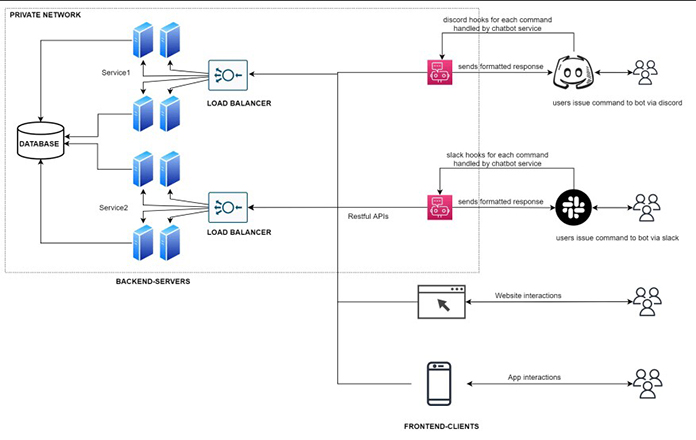
Discord has become the go-to platform for gamers, content creators, and communities worldwide. One key feature that sets Discord apart from other platforms is its bots. Discord bots are automated programs that enhance the user experience and provide server management, entertainment, and utility features. This ultimate guide will introduce you to the world of Discord bots and help you boost your server today!

Discord Bots Basics

Discord bot basics

What is a Discord bot?

A Discord bot is a software application that runs on the Discord platform, providing various functionalities such as moderation, automation, or entertainment. There are two primary types of bots:

  1. Server Management Bots: These bots help manage and moderate servers, ensuring a smooth user experience.
  2. Entertainment and Utility Bots: These bots provide fun and useful features for users, like playing music or fetching information.

Why use Discord bots?

Discord bots have become an essential part of many servers due to their ability to:

  • Manage servers: Bots can automate tasks, enforce rules, and manage user roles.
  • Provide entertainment: Bots can play music, host quizzes, and create engaging experiences for users.
  • Offer utility: Bots can fetch information, provide reminders, and perform various useful functions.

Popular Discord Bots

entertainment discord bot

Top Discord bots for server management

  1. MEE6: An all-in-one moderation bot with features such as leveling, custom commands, and auto-moderation.
  2. Dyno: A versatile bot offering moderation, custom commands, and an easy-to-use dashboard.
  3. Carl-bot: A highly customizable bot with advanced logging, reaction roles, and moderation tools.

Also Read: Top 5 Discord Music Bots: Bring the Party to Your Server!

Best Discord bots for entertainment

  1. Groovy: A popular music bot that allows users to play music from various sources like YouTube and Spotify.
  2. Rhythm: Another music bot with a user-friendly interface and support for multiple streaming platforms.
  3. TriviaBot: A bot that hosts trivia games in text and voice channels, offering thousands of questions in various categories.

Essential utility bots

  1. Tatsu: A bot with a wide range of utility features, including reminders, server statistics, and user profiles.
  2. YAGPDB: A multipurpose bot with a customizable server dashboard and various utility functions.
  3. Arcane: A bot that provides server analytics, leveling systems, and role management features.

How to Add a Bot to Your Server

Finding a bot

To find the perfect bot for your server, you can:

  • Visit Discord bot listing websites like top.gg or discord.bots.gg.
  • Seek recommendations from other Discord users and communities.

Also Read: 10 Best Discord Bots To Enhance Your Server in 2023

Adding the bot

To add a bot to your server, follow these steps:

  1. Visit the bot’s official website or listing page.
  2. Click the “Add to Discord” or “Invite” button.
  3. Choose the server you want to add the bot to.
  4. Grant the required permissions and complete the verification process.

Configuring the bot

Once the bot is added to your server, you can configure it by:

  • Learning its commands and settings through the bot’s documentation or help command.
  • Customizing the bot’s features to match your server’s needs.

Creating Your Own Discord Bot

Create

Why create a custom bot?

Creating a custom bot allows you to:

  • Implement tailored functionality for your server.
  • Develop unique features that distinguish your server from others.

Also Read: How To Make A Discord Bot (Easy Fail-proof Guide for 2023)

Development platforms

To create your own Discord bot, you can use popular programming languages and libraries such as:

  1. Discord.js: A powerful JavaScript library for interacting with the Discord API.
  2. Discord.py: A Python library for creating Discord bots with ease.

Getting started

To begin creating your custom bot:

  1. Set up your development environment with the required tools, like Node.js for Discord.js or Python for Discord.py.
  2. Create a bot account on the Discord Developer Portal and obtain your bot’s token.

Coding the bot

When coding your bot, follow these steps:

  1. Develop a basic bot structure based on the chosen library’s documentation and examples.
  2. Implement commands and features that cater to your server’s requirements.
  3. Test and debug your bot to ensure smooth functionality.

Deploying the bot

To deploy your custom Discord bot:

  1. Choose a hosting option, such as cloud platforms like Heroku, or self-hosting using a dedicated server or a Raspberry Pi.
  2. Set up continuous deployment to ensure that updates to your bot’s code are automatically reflected on your server.

Discord Bot Best Practices

Best Practices

Bot moderation

Ensure your Discord bot adheres to best practices in moderation:

  • Balance permissions to avoid granting excessive power to the bot.
  • Implement anti-spam features to prevent abuse of bot commands.

User Engagement

Keep your users engaged with your bot by:

  • Including interactive features, such as games or polls.
  • Organizing events and rewarding active users with roles or server perks.

Security considerations

Safeguard your server and users by:

  • Protecting user data and ensuring that your bot adheres to Discord’s API terms of service.
  • Securing your bot account by keeping the bot token private and using strong authentication methods.

Conclusion

Discord bots are essential tools for enhancing your server’s user experience and management capabilities. By choosing the right bots or creating your custom bots, you can create a unique and engaging environment for your community. With this ultimate guide, you’re now equipped to boost your server with Discord bots today!


from WikiWax https://ift.tt/Km95tIj
via IFTTT
ASUS Announces Vivobook S 15: World’s First Copilot+ PC Integrating Snapdragon X Elite™

ASUS will introduce the all-new Vivobook S 15—the one that’s designed to be a game-changer and the first in this category of the Copilot+ PC...