Thursday, 20 July 2023

Meta-Owned WhatsApp Overcomes Severe Service Interruption

WhatsApp, noted for its strong encryption, recently had a massive service disruption, one of the biggest in the company’s history. Despite being controlled by Meta, even the most dependable platforms can experience problems. Fortunately, the issue was quickly addressed, providing relief to a large number of customers.

Down Detector was the first to notice the outage, which experienced a large rise in outage reports at about 4:01 p.m. ET, peaking at around 30,000 reports by 4:16. This outage was not limited to a single location; users in North America, South America, and Europe were all affected, unable to access their conversations or send messages.

Recognizing the issue, WhatsApp rushed to Twitter to assure users that they were aware of the problem and were working hard to restore full service. Within 22 minutes, the corporation released a follow-up tweet verifying the restoration of normal service.

This issue occurred in the midst of WhatsApp’s recent feature improvements. Notably, they launched an official Wear OS app for smartwatches, catering to the rapidly expanding wearable technology sector. Furthermore, their beta channel witnessed various quality-of-life improvements, such as enhanced group call capacities and a more streamlined manner to message contacts who were not saved in the user’s phonebook. WhatsApp is constantly evolving in order to improve the user experience and functionality.


from WikiWax https://ift.tt/oHvg7DK
via IFTTT

Thursday, 13 July 2023

Transforming Data Into Actionable Intelligence: The Value Of Conversion

In an era where we generate data at a staggering rate, the ability to convert this ocean of data into actionable intelligence is a key differentiator for businesses. It enables us to track progress, optimize strategies, and ultimately, make more informed decisions. It’s akin to transforming raw materials into a coveted commodity. The transformation from data to actionable intelligence requires not only technology but also a strategic mindset and skilled personnel.

Here are seven steps to successfully convert your data into actionable intelligence and realize its true value.

Data Collection And Organization

Every data-driven journey starts with the collection and organization of data. Today, we live in a digital ecosystem where every transaction, interaction, and communication leaves a data trail.

Whether it’s through CRM systems, social media platforms, or website analytics, data is generated in various formats. One challenge is dealing with diverse file types. For instance, a business might need help with PDF files that contain important information. Leveraging OCR technology or investing in a robust PDF converter tool can help extract the needed data efficiently.

More so, organizations should establish a well-structured data pipeline to manage and organize data. This includes devising a suitable data storage strategy, implementing data governance protocols, and maintaining a clean, updated, and accessible data repository.

Data Cleaning And Preprocessing

After the data is collected and organized, the next step is data cleaning and preprocessing. This involves dealing with missing data, inconsistent data, duplicate data, and outliers. The aim is to ensure that the data is accurate, consistent, and relevant.

Preprocessing includes techniques such as normalization, feature selection, and encoding. Tools can be leveraged to automate these processes. However, it’s crucial to understand that data cleaning and preprocessing are iterative processes that need to be continually monitored and updated as data evolves.

Data Analysis And Interpretation

Once the data is preprocessed, it is ready for analysis. There are a variety of tools and techniques that can be used to uncover patterns, trends, and correlations in the data. From basic techniques like descriptive statistics to more complex methods like machine learning algorithms, the analysis is guided by the nature of the data and the specific business question.

Moreover, visualization tools can help bring the results to life, making the data more accessible and interpretable for non-technical stakeholders. At this stage, data is starting to be transformed into actionable intelligence.

Converting Insights Into Actions

Insights gleaned from data analysis are only as valuable as the actions they trigger. It’s at this juncture that businesses must ask: “What does this mean for us?” “How can we use these insights to improve our operations, serve our customers better, or gain a competitive advantage?”

In the quest to convert insights into actions, businesses should adopt a systematic and collaborative approach. 

This might involve setting up cross-functional teams to brainstorm and implement strategies based on the insights, embedding the insights into strategic planning and decision-making processes, and continually monitoring and measuring the impact of actions taken.

Cultivating A Data-Driven Culture

None of the above steps will be effective without a data-driven culture. This involves instilling a mindset where data and analytics are central to decision-making processes. It means promoting transparency, fostering curiosity, encouraging experimentation, and learning from failures.

A data-driven culture isn’t created overnight. It requires leadership commitment, ongoing education, and empowering employees at all levels with the right tools and resources. It also means celebrating success when data-driven decisions lead to positive outcomes.

Embedding Data Governance

Data governance is a crucial, yet often overlooked, component of transforming data into actionable intelligence. This process ensures data is managed as a strategic asset and that there is a clear policy for data handling, including privacy, security, integrity, and quality.

Data governance can help with standardizing data definitions and maintaining consistent metadata. This uniformity aids analysts in understanding and correctly using data. Furthermore, strong data governance can enhance trust in the data, a critical factor when decisions are based on the resulting intelligence.

Prioritizing Continuous Learning And Improvement

The landscape of data and analytics is constantly evolving. As such, organizations must prioritize continuous learning and improvement to keep pace with these changes and continue deriving value from their data conversion efforts.

This involves staying updated on the latest technologies and analytical methodologies, regularly reevaluating and adjusting strategies based on performance and changing business needs, and continually upskilling team members. For example, with the rise of artificial intelligence and machine learning, it’s crucial for data professionals to acquire these skills and integrate these technologies into the data conversion process.

Conclusion

Transforming data into actionable intelligence is more than a technical exercise. It involves cultural change, strategic thinking, and commitment at all levels of an organization. The real value of data conversion lies in how effectively businesses use this intelligence to inform decisions, drive actions, and ultimately, enhance business performance.

In essence, data itself holds no inherent value. It’s the actionable intelligence derived from it that can propel businesses forward, and that’s where the true value of data conversion lies. So, whether it’s seeking help with files or implementing advanced analytics techniques, every step in the data conversion process is critical to unlocking the transformative power of data.


from WikiWax https://ift.tt/nbfThvS
via IFTTT

Sunday, 9 July 2023

Google Shifts from Samsung to TSMC for Manufacturing its First Custom Pixel Chip Tensor G5

Google has followed in Apple’s footsteps by developing bespoke CPUs for its Pixel smartphones. The Pixel 6 series introduced Google’s own CPU, Tensor, based on Exynos processors made using the 5nm node technology. Google continued to use semi-custom Samsung-made chips in the Pixel 7 and future Pixel 8. However, it looks like Google intends to shift its chip strategy by partnering with TSMC and launching a fully customized Tensor G5 chip in 2025.

According to a former Google official contacted by The Information (via 9to5Google), the original idea was to deploy a fully unique Tensor processor as early as next year. However, the chip’s manufacture, codenamed Redondo, was delayed due to difficulties in retaining people and coordinating development across several teams. As a result, the chip’s anticipated completion date has been moved back to 2025. In line with prior rumors, the source reveals that Google is shifting production of the Tensor G5 processor from Samsung to Taiwan Semiconductor Manufacturing Company (TSMC). This chip is expected to use TSMC’s superior 3-nanometer manufacturing process and Integrated Fan-Out technology for improved power efficiency and reduced thickness.

While we’ll have to wait a bit longer for a fully customized Tensor chip, this year’s Pixel 8 series will continue to rely on a processor created and produced by Samsung. Similarly, the Pixel smartphones expected for sale in 2024 will use a Samsung processor, albeit with fewer Samsung components than earlier generations.

Introducing a wholly bespoke processor will allow Google to achieve a more seamless combination of hardware and software, resulting in dramatically improved smartphone performance. Google hopes to improve the entire user experience and the capabilities of their Pixel smartphones by tightening the synergy between the two.


from WikiWax https://ift.tt/vR5AclV
via IFTTT

Threads: Metas New Twitter Alternative Making Waves

Threads, the latest Twitter alternative developed by Meta, the parent company of Facebook and Instagram, has launched. The program, released on July 5, has already acquired enormous interest, with Meta’s CEO, Mark Zuckerberg, claiming an amazing 11 million users in just seven hours. If you were one among the early adopters, you might be upset to learn that removing your Threads account also means deleting your entire Instagram profile.

Although Threads is a different application, users must sign in with their Instagram accounts. As a result, the connection between the two platforms is permanent. TechCrunch recently reported on a finding in Meta’s Supplemental Privacy Policy: to delete your Threads profile, you must completely delete your Instagram presence. “You may deactivate your Threads profile at any time,” the policy notes expressly, “but your Threads profile can only be deleted by deleting your Instagram account.”

To be clear, deactivating your Threads account does not affect your Instagram profile; nevertheless, permanently deleting it is impossible. To deactivate your account, go to the settings area, which is found directly above your display photo in the top-right corner. Select “Account,” then “Deactivate profile.” You will, of course, be asked to confirm your selection. If you change your mind later, Meta’s social networks allow account reactivation as long as it has not been completely removed.

If you want to eliminate your presence from the service entirely, you must say goodbye to your Instagram account. The purpose behind this unusually close connection is unknown. Still, it is plausible to infer that Threads intends to harness Instagram’s massive user base, which currently numbers two billion people globally. However, it would be in Meta’s best interest to develop an option that allows for the entire deletion of Threads accounts while maintaining the integrity of Instagram profiles. This constraint is especially aggravating given that the service is still in its early stages, with many customers likely investigating its fit for their specific needs.


from WikiWax https://ift.tt/XmzOCL9
via IFTTT

Friday, 7 July 2023

The Ultimate Guide to Using Instagram Threads: A Twitter Alternative

In the ever-evolving social media landscape, Instagram Threads has emerged as a compelling alternative to Twitter. With its seamless integration with Instagram and a focus on text-based conversations, Threads offers a unique experience for users seeking a more streamlined and engaging platform. This comprehensive guide will walk you through every aspect of using Instagram Threads, from getting started to mastering its features.

Getting Started with Threads

How to Download Threads App

Download the app on your mobile device to embark on your Threads journey. Android users can find Threads on the Google Play Store, while iOS users can access it through the App Store. Search for “Instagram Threads” and tap the install button or you can also use the links below to install the Threads app.

Threads Download Link on Google Playstore

Threads Download Link on iOS Appstore

You can also scan the below QR Code to Download the Threads App,

Threads App Download QR Code Image

How to Create a Threads Account

Creating a Threads account is a breeze if you already have an Instagram account. Log in to Threads using your Instagram credentials, and the app will automatically set up your profile using your existing Instagram username, bio, and profile picture. You can then customize your profile further within the Threads app.

threads app image

Navigating Threads

Exploring the Threads Interface

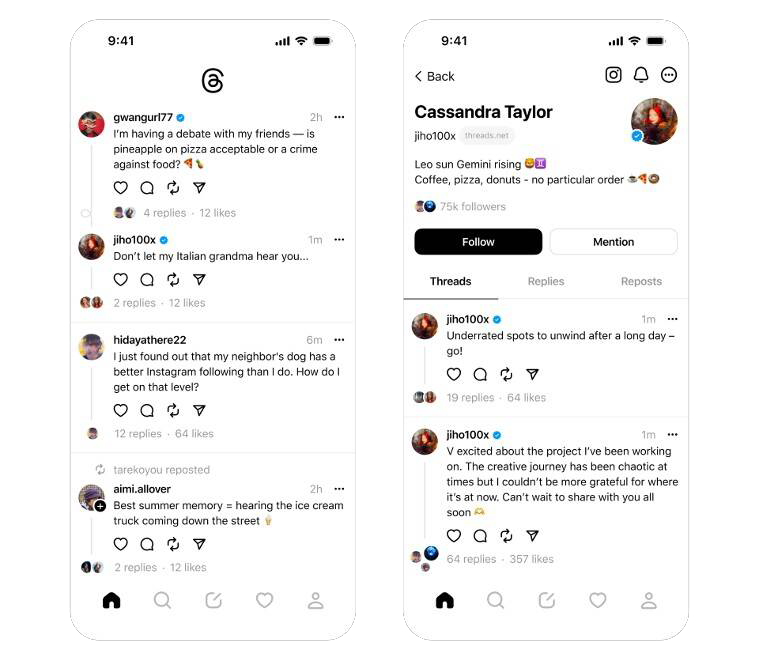
Once you’re in the Threads app, take a moment to familiarize yourself with the interface. The main screen presents a scrolling feed of threads from accounts you follow. Tap on a thread to view its content, including text, images, and videos. The navigation bar at the bottom allows you to access different sections of the app, such as your profile and the search function.

Following Instagram Contacts on Threads

Threads simplify the process of connecting with your Instagram contacts. When setting up your account, you have the option to follow the same accounts you follow on Instagram automatically. Alternatively, you can manually search for specific users and follow them on Threads.

Searching for Users on Threads

The search function is your gateway to expand your network on Threads beyond your Instagram contacts. Tap on the search icon in the navigation bar and enter the name or username of the person you want to find. Threads will display relevant search results, allowing you to discover and connect with new users.

Interacting on Threads

How to Post on Threads App

Threads let you share your thoughts, experiences, and creative content with your followers. To create a post, tap on the “+” icon at the bottom center of the screen. You can compose a text-based thread of up to 500 characters from there. You can also include images and videos to enhance your posts and engage your audience further.

Limitations and Features of Threads Posts

While Threads provides a user-friendly platform for sharing content, it’s essential to understand its limitations. You cannot edit a thread once posted, so ensure your content is accurate before sharing. Additionally, Threads does not support hashtags, but this may change. Make the most of the available features, such as tagging friends in posts and controlling who can reply to your threads.

Reacting and Engaging with Threads

Threads encourage interaction and engagement among their users. Like other social media platforms, you can react to threads by liking them. Additionally, you can comment on threads to share your thoughts and opinions. If you find a particular thread intriguing, you can repost it or quote it with additional comments. Sharing threads and posts with your Instagram feed or other messaging apps is also possible.

Managing Your Threads Account

Editing Your Threads Profile

Your Threads profile is an extension of your Instagram identity. To make changes to your profile, tap on the human icon at the bottom right of the app. Select “Edit Profile” from there to update your bio, profile picture, and other details. It’s worth noting that your Threads username is linked to your Instagram username and cannot be changed within the Threads app.

Changing Display Picture (DP) on Threads App

Your display picture, your avatar or DP, represents your identity on Threads. To change your DP, open your profile page and tap on the profile picture. From there, you can upload a new image or import one from your Instagram account.

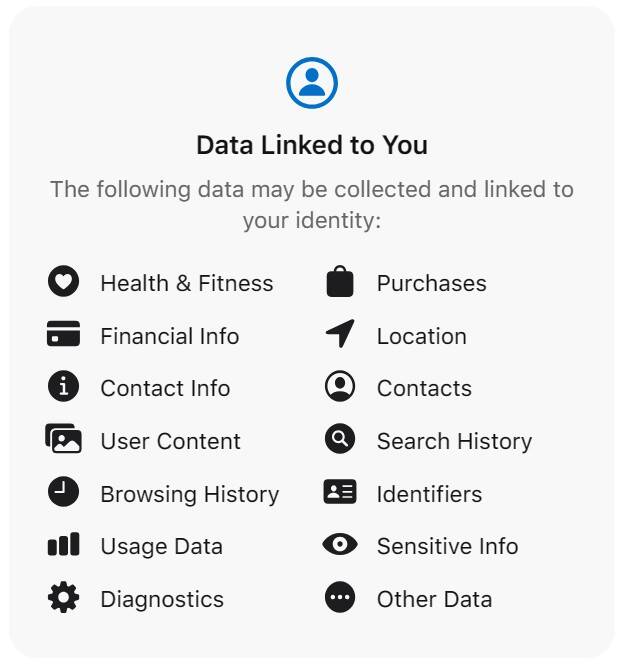
threads app privacy

Privacy Settings and Options

Threads offer privacy settings to help you control the visibility and interactions on the platform. You can choose between a public profile, where anyone can view and interact with your content, or a private profile, which restricts access to only approved followers. It’s important to consider your desired level of privacy and adjust your settings accordingly.

Advanced Functions and Features

Importing Instagram Followers on Threads

If you want to expand your Threads network with your existing Instagram followers, you can easily import them. Threads provide an option to follow the same accounts you follow on Instagram. Tap on “Follow accounts from Instagram” to connect with your Instagram contacts who are also on Threads.

Using GIFs on Threads

While Threads doesn’t have a native GIF keyboard, you can still incorporate GIFs into your posts. If your phone’s keyboard supports GIFs, you can input them directly into a thread. Alternatively, you can download a GIF and manually share it on Threads by tapping the paper clip icon while composing a new thread.

Hashtags on Threads: Current Support and Future Possibilities

At present, Threads does not support clickable hashtags. While you can include hashtags in your posts, they do not contribute to the reach or discoverability of your content. However, future updates may introduce hashtag functionality, so stay tuned for developments in this area.

Accessing Threads via Desktop (Workarounds)

Threads primarily operate as a mobile app, but there are workarounds to access it via desktop. You can use third-party software or browser extensions to emulate a mobile environment on your computer. This allows you to access and use Threads as if you were on a mobile device. Remember that these methods may have limitations and provide a different user experience than the official Threads app.

Also Read: Meta’s Threads Faces Potential Legal Challenge from Twitter

Deleting Threads App

Steps to Delete Threads App

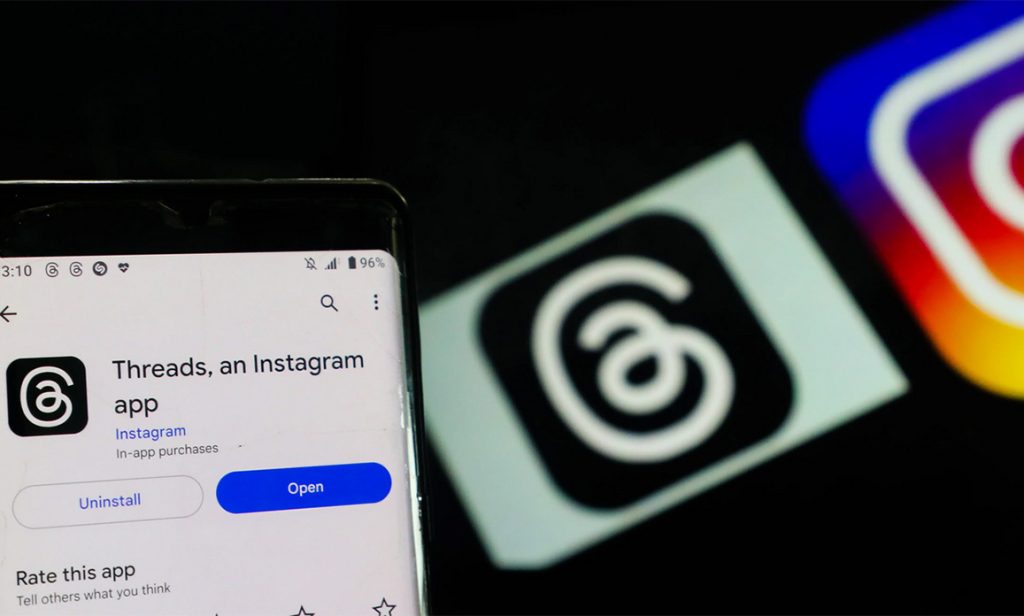
Deleting the app is straightforward if you decide to part ways with Threads. On Android and iOS devices, locate the Threads app icon and press and hold it until a menu appears. Select the option to uninstall or delete the app, depending on your device. Confirm the deletion, and Threads will be removed from your device.

Impact on Instagram Account

instagram threads app

Deleting the Threads app does not impact your Instagram account. Your Instagram profile, posts, and followers remain unaffected. However, your content or conversations exclusively within Threads will no longer be accessible once the app is deleted. If you wish to continue engaging with your Instagram contacts through text-based conversations, consider exploring alternative messaging options.

Conclusion

Instagram Threads provides a refreshing approach to microblogging and text-based interactions, serving as a viable Twitter alternative. With its seamless integration with Instagram and a range of features designed to enhance communication, Threads offers users a unique and engaging social media experience. By following this comprehensive guide, you can confidently navigate Threads, maximize its features, and connect with others meaningfully. Embrace the world of Threads and unlock a new dimension of social interaction.


from WikiWax https://ift.tt/Zxij4WU
via IFTTT

Metas Threads Faces Potential Legal Challenge from Twitter

Social media giant Twitter is considering taking legal action against Meta in response to the emergence of Threads, a fast-growing rival app. Executives at Meta have positioned Threads as a “friendly” alternative to Twitter, and it launched for millions of users on Wednesday. Twitter’s CEO, Elon Musk, stated, “Competition is fine; cheating is not.” However, Meta has denied allegations made in a legal letter that former Twitter employees were involved in creating Threads.

Meta says more than 30 million individuals have already signed up for the new app. However, according to Statista, this figure represents less than a tenth of Twitter’s estimated 350 million users. Notably, Threads capitalised on Meta’s existing two billion monthly users through its affiliation with Instagram.

BBC News technology reporter James Clayton observed that Threads shares a similar appearance and features with Twitter. The news feed and reposting functionalities are described as “incredibly familiar.” However, copyright laws in the United States do not protect ideas. For Twitter to succeed in a legal dispute, it must prove that its intellectual property, such as programming code, was infringed upon.

Facebook’s system for displaying the most recent posts, known as the “communication of a newsfeed,” received a patent from Meta in 2012. Meanwhile, news outlet Semafor reported that Twitter attorney Alex Spiro sent a letter to Meta CEO Mark Zuckerberg accusing Meta of “systematic, willful, and unlawful misappropriation of Twitter’s trade secrets and other intellectual property” in the development of Threads. The letter alleges that Meta hired numerous former Twitter employees who had access to Twitter’s trade secrets and confidential information, ultimately contributing to the creation of the “copycat” Threads app.

The letter states that “Twitter intends to enforce its intellectual property rights strictly” and demands that Meta cease using Twitter trade secrets or highly confidential information. It further emphasises Twitter’s rights to seek civil remedies and injunctive relief without further notice. BBC News has contacted both Meta and Twitter for their comments.

Elon Musk responded to a tweet referencing the legal letter, stating, “Competition is fine, cheating is not.” In response to allegations of former Twitter employees being involved, Meta spokesperson Andy Stone asserted that “no one on the Threads engineering team is a former Twitter employee.”

Sarah Kunst, managing director at venture capital firm Cleo Capital, highlighted the potential for Threads to provide a “brand-safe environment” for current Instagram advertisers who may be willing to allocate some budget to explore the app’s possibilities. She also expressed her belief that while the initial rush of 30 million users may occur, there will likely be a steady increase in user numbers due to the app’s ease of cross-posting to other platforms, such as Instagram.

Elon Musk and Mark Zuckerberg have acknowledged the rivalry surrounding Threads, an app linked to Instagram but functioning as a standalone platform. During the app’s launch in 100 countries, Zuckerberg broke his 11-year silence on Twitter to share a popular meme featuring two identical Spider-Man figures pointing at each other, symbolising a standoff. Subsequently, as the term “Threads” trended worldwide on Twitter, Musk remarked, “It is infinitely preferable to be attacked by strangers on Twitter than indulge in the false happiness of hide-the-pain Instagram.”

Twitter CEO Linda Yaccarino tweeted on Thursday that while the platform is “often imitated,” it can never be replicated. Both Meta and Twitter have undergone significant layoffs this year, with Meta announcing a reduction of approximately 10,000 staff members in April. On the other hand, Twitter experienced waves of redundancies, resulting in a considerable loss of its 7,500 employees, potentially up to 80%, following Musk’s takeover in October of the previous year.


from WikiWax https://ift.tt/wHfukpe
via IFTTT

Wednesday, 5 July 2023

The Most Inspiring DISCORD Success Stories: How They Made It Big!

Introduction

Discord has revolutionized the gaming and online community landscape, providing a platform for like-minded individuals to communicate, collaborate, and share their passions. The platform’s versatility and user-friendly nature have made it the go-to choice for gamers and non-gamers alike. In this article, we’ll explore some of the most inspiring Discord success stories, from streamers who found fame to communities that became major brands, entrepreneurs who built thriving businesses, and charity fundraisers that made a significant impact. Let’s dive into these heartening stories and see how these individuals and groups made it big on Discord!

Streamers Who Started on Discord

Popular Streamers Who Began with Discord

Popular Streamers Who Began with Discord
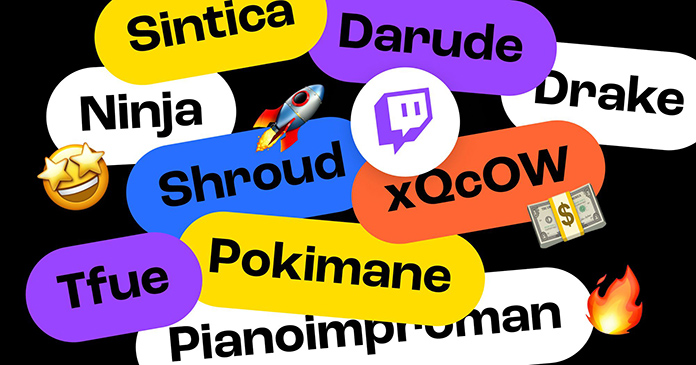
  • Ninja (Tyler Blevins): Started as a small gaming group, rose to fame with engaging content and interaction
  • Pokimane (Imane Anys): Focused on niche games, and built a loyal fanbase through exclusivity and community events

Discord has been a launchpad for many famous streamers who have gone on to build massive followings and successful careers. By utilizing Discord’s features to communicate with fans, collaborate with other creators, and share exclusive content, these streamers have developed loyal fanbases that support their growth and success.

Also Read: Top 5 Discord Music Bots: Bring the Party to Your Server!

Strategies for Building a Loyal Fanbase

  1. Communication and interaction: Respond to messages, create a welcoming environment, and engage with fans on a personal level
  2. Hosting community events: Organize game nights, contests, and giveaways to bring members together and foster a sense of community
  3. Exclusive content for members: Offer sneak peeks, behind-the-scenes access, and other perks to keep fans engaged and excited

Discord Communities That Became Major Brands

Gaming Communities Turned Esports Teams

Gaming Communities Turned Esports Teams
  • Cloud9: Started as a small group of friends, and grew into a professional esports team through hard work and dedication
  • Team Liquid: Built a solid foundation on Discord, transitioned to esports, and achieved success through collaboration and networking

Many gaming communities have successfully transitioned from casual groups to professional esports teams, thanks to the support and resources provided by Discord. By leveraging the platform’s communication tools and fostering a sense of camaraderie, these teams have climbed the ranks and achieved remarkable success.

Also Read: The Ultimate Guide to Discord Nitro

Niche Communities That Expanded Beyond Gaming

Niche Communities That Expanded Beyond Gaming
  • Artists of Discord: Focused on a specific hobby or interest (art), utilized Discord to grow and expand into a thriving business
  • The Language Sloth: Created a supportive space for language learners, branched out into various forms of content creation and networking

Discord has also been instrumental in helping niche communities expand beyond gaming and achieve success in various fields. By providing a platform for collaboration, networking, and growth, Discord has enabled these communities to reach new heights and create lasting impacts.

Discord Entrepreneurs and Startups

Success Stories of Discord-Based Businesses

Success Stories of Discord-Based Businesses
  • Dank Memer: Launched a unique service (Discord bot) through Discord, effectively utilized the platform for marketing and promotion
  • MEE6: Built a successful business by leveraging Discord’s communication tools and integrations, providing exceptional customer support

Discord has become a breeding ground for innovative entrepreneurs and startups, with many individuals finding success by utilizing the platform to launch and grow their businesses. By harnessing Discord’s features and resources, these entrepreneurs have managed to create thriving enterprises that cater to the unique needs of their audience.

Also Read: Discord vs Slack: Which One Is Right for Your Team?

Key Strategies for Running a Business on Discord

  1. Effective communication with customers: Keep customers informed, handle inquiries promptly, and maintain a professional tone
  2. Marketing and promotion techniques: Leverage Discord’s promotional tools, collaborate with other businesses, and showcase positive customer reviews
  3. Utilizing Discord bots and integrations: Streamline business processes, improve user experience, and manage your community more efficiently through automation and custom features by implementing these strategies, Discord entrepreneurs can effectively grow their businesses while maintaining a strong connection with their customers and community members.

Discord’s Role in Charity and Fundraising

Inspiring Charity Streams and Fundraisers

Inspiring Charity Streams and Fundraisers
  • Games Done Quick: Successfully raised millions of dollars for organizations like Doctors Without Borders and the Prevent Cancer Foundation, brought multiple communities together for a common goal
  • Jacksepticeye’s Thankmas: Utilized Discord’s features to promote and organize a fundraiser, and achieved an incredible impact through generous donations

Discord has played a crucial role in facilitating charity events and fundraisers, with many inspiring success stories emerging from the platform. By providing a space for communities to come together and collaborate, Discord has enabled users to make a real difference in the world and support causes they’re passionate about.

Tips for Hosting a Successful Charity Event on Discord

  1. Planning and organization: Set clear goals, create a detailed schedule, and prepare in advance to ensure a smooth event
  2. Promoting the event to potential donors: Use social media, collaborate with influencers, and engage with the community to raise awareness and encourage participation
  3. Incentivizing donations and rewards: Offer exclusive content, merchandise, or other perks to motivate donors and show appreciation for their support

Conclusion

These inspiring Discord success stories serve as a testament to the power of community, collaboration, and passion. From streamers who found fame to gaming communities that transitioned into esports, entrepreneurs who built thriving businesses, and charity fundraisers that made a significant impact, the potential for success on Discord is truly limitless. By embracing the platform’s features, fostering connections, and pursuing their passions, anyone can make it big on Discord and create their own success story.


from WikiWax https://ift.tt/yO0Hfzn
via IFTTT

ASUS Announces Vivobook S 15: World’s First Copilot+ PC Integrating Snapdragon X Elite™

ASUS will introduce the all-new Vivobook S 15—the one that’s designed to be a game-changer and the first in this category of the Copilot+ PC...